The Galaxy S8 looks set to be one of, if not the best Android phone available in this year when it arrives at the end of April, but there could be an issue with one of its new features.
This year, Sammy opted to do away with the home button, moving the fingerprint scanner to the rear of the phone and adding an iris scanner to the front.
And perhaps in an effort to appease those that begrudge having to tap their digits on the back of the phone rather than the front, the company also added a new facial recognition feature to the front of the device.
However, it seems there could be an issue with the new technology that would make it very easy for others to unlock the phone without having, well, your face.
In fact, all they'd need, according to a new video, is a photo of you in order to bypass the facial recognition feature.
A video posted by blogger MarcianoTech, in which he uses a pre-release version of the S8, shows the phone being unlocked using a photo (at the 1:09 mark).
The photo trick seems to have been confirmed in a Periscope video from Spanish Periscope user Marcianophone (about six minutes in).
Samsung has said in the past that its Face Unlock feature isn't designed to be the most secure option, rather as a convenient alternative to entering a code or using your fingerprint, and has prevented the tech being used for mobile payments.
Google previously introduced facial recognition in Android 4.0 Ice Cream Sandwich back in 2011, and admitted the technology could be bypassed using a photo.
Whether consumers will care too much about this latest revelation on the S8 remains to be seen, but at least this news isn't explosion-related.
The "R" camera versions come with a remote control.
Selecting the right file
Some camera models (like the H9) have multiple possible firmwares, because there is more than one version of the camera, using different LCD chipsets.
The Eken H9 comes in "Type 1" using the ST7789S chipset, and "Type 2" using the ST9341 chipset.
To determine your camera's type, you can either crack it open and look at the screen driver, or use a site like Eken H9 Bricked which lists a mapping between firmware versions and camera types.
Type 1 H9 cameras, came delivered with Firmware Version: 150826, 150910, 150910SJ, 150928, 150928SJ, 151005, 151005SJ, 151009, 151103, 151103SJ, 151128, 151128SJ, 151204, 151208, 151208SJ, 151229, 151229SJ, 160108, 160108SJ, 160421SY Type 2 H9 cameras, came delivered with Firmware Version: 150911, 150911RJ, 150914, 150914LY, 151010, 151015, 151127, 151207, 151228LY, 151230, 160106, 160108, 160108LY, 160222, 160304, 160309LY, 160309LY(4k25), 160326, 160421LY http://www.eken-h9-bricked.co.uk/SelectType1Type2Unknown.html
If in doubt, you can proceed with the Type 1 firmware, which will either work (because you have Type 1) or white the screen of your Type 2 camera. If this happens, just flash the Type 2 firmware and the display will be restored.
Finding your current firmware version
This is displayed in the camera's settings menu. There's a "Version" option. It will look something like:
ActionCam H9 151230
Which is a Type 2, Eken H9.
Flashing the firmware
Download and extract the file from Eken, copy SPHOST.BRN to the root of your MicroSD card. With the camera off, insert the SD card and turn it on.
The camera will display "Firmware Update..." for about two minutes, and then it will switch off (all lights and screen off).
At this point, it's safe to remove the SD card, delete the SPHOST.BRN file, and put the card back in the camera.
Turn the camera on (it should be functional) and perform a "reset" (from the settings menu).
You can check the version to make sure you now have the latest firmware.
Image Sensor: The OmniVision OV4689 is a native 4MP sensor. (picture is upscaled to 12MP) That’s the same sensor used in the SJ4000+ by SJCAM. The 4 MP sensor is smaller than the ones used in other new cameras like the 12,4 MP Sony sensor in Firefly 6S and SJ5000X Elite or the 16 MP Sony sensor used in Git2 and Xiaomi Yi.
Chipset: The camera uses a Sunplus 6330M chipset, that’s a rather unique one. Most action cams rely either on Novatek 96660 or Ambarella A7.
Frame Rates:
4K – 10fps – 25 fps (depending on firmware)
2,7K – 15fps
1080p – 60/30 fps
720p – 120/60fps (depending on firmware)
Be aware that the labelled “4K” is not native 4K, it is interpolated. Easy to tell for this camera as 4K is more than 8 MP and the camera just has a 4 MP sensor. Other cameras such as SJ5000X elite, Firefly 6S, SJCAM M20 or Elephone Explorer Pro also offer interpolated 4K. Here’s my comparison of native 4K action cameras including the new YI 4K Action Camera:
Video recording: .mov files; .h264 codec data rate 35-44 MB/s tested while 1080p 60fps recording.
Lens: The camera has a 170° lens, like most action cameras.
Connectivity & Ports: Wifi is built in to connect with the app (Android & iOS) It also offers a HDMI as well as an USB port. Mic in via USB & A/V out via USB are not available!
Recently the EKEN H9R was released which features a remote control
Battery: The Eken H9 features a 1050 mAh battery. The battery is a little larger than Xiaomi’s (1010 mAh) but the largest capacity still has the GoPro Hero 4 (1160 mAh). The SJCAM lacks behind with only 900 mAh. Update: Earlier Eken models like this one have a squared battery, new models have rounded batteries! They are not compatible with SJCAM batteries any more!
Storage: microSD of 16 or 32 GB are recommended; selected 64GB cards are supported, but not guaranteed; class 10 is recommended.
Display:2” Screen (320×240 resolution) So that one is larger than the SJ5000+ 1,5″ screen.
Allok Video to MP4 Converter is a easiest-to-use video converter software for portable MP4 Player, iPod, Apple TV, PSP, PS3, Zune, Xbox 360, ARCHOS, Plam etc. It is also a powerful MP4 converter with fast conversion speed. And the output MP4 movie/video supports MP4 screen.
It can convert almost all video formats, e.g. DivX, XviD, AVI, WMV, MPG, MPEG, MP4, M4V, FLV, 3GP, ASF, RM, RMVB, MOV, MOD, ASX, MKV, OGM, SVCD, VCD, VOB Video formats.
No other MP4 video converter software supports so many portable media player (MP4 player) such as Apple iPod, Apple TV, Sony PSP, PS3, Zune, Xbox 360, Acrchos AV400, Archos AV500, Archos AV700, Archos Gmini402, iRiver PMP-100, Creative Zen Vision, etc.
The MP4 Converter gives you everything you need to turn your MP4 Player into a portable media center, enjoy your favorite movie on your iPod, Apple TV, Sony PSP, PS3, Zune, Xbox 360, Acrchos, Pocket PC, PDA, Palm, etc. as a MPEG4 Player using the MP4 Converter.
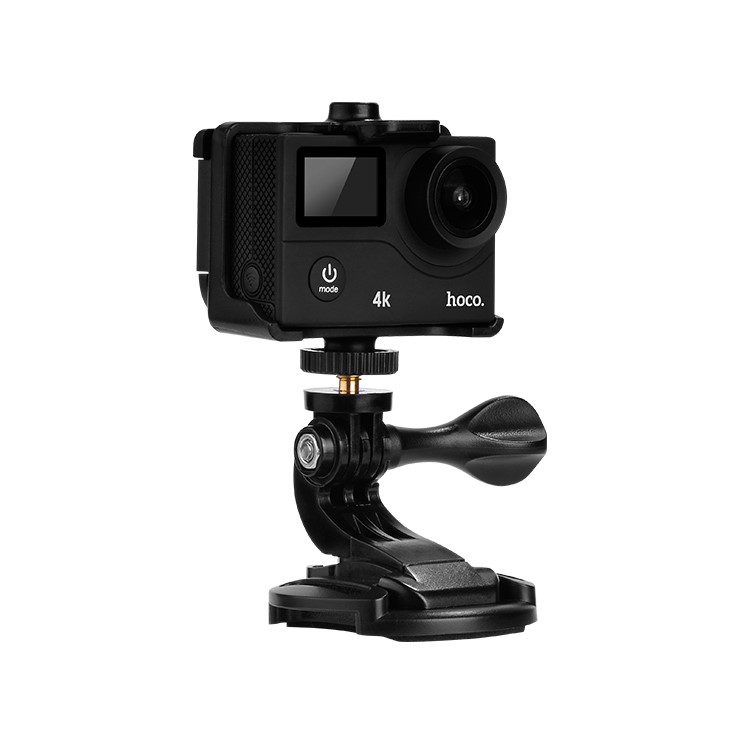
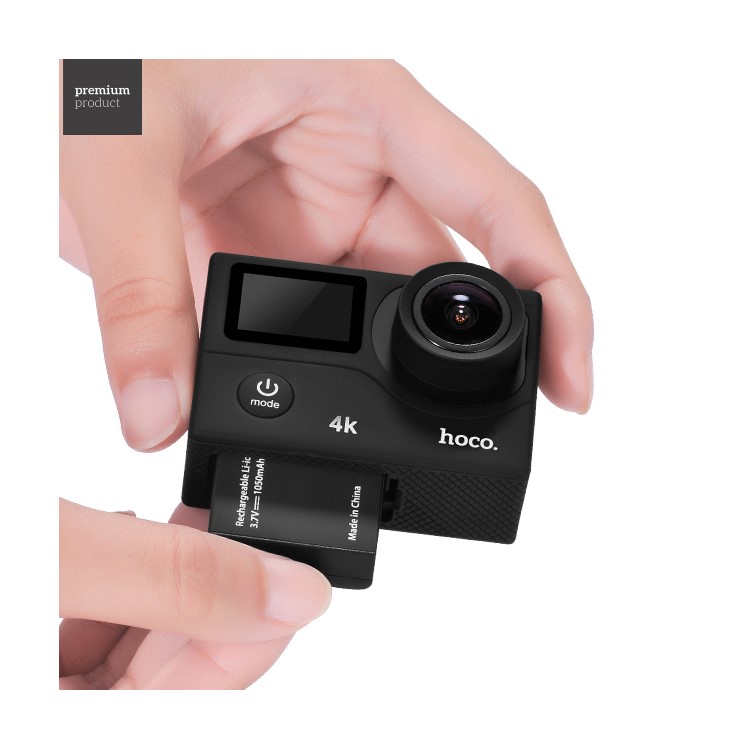
HOCO D3 2" 4K HD WiFi 6350 Chips 12MP Dual Screen Action Sports Camera with 170-degree Wide Angle Lens
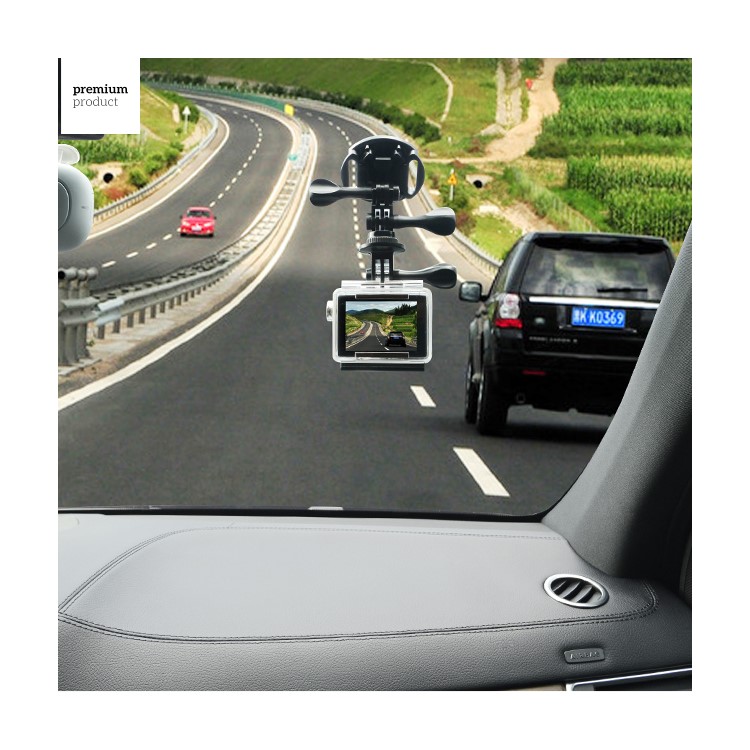
HOCO WiFi Sport Action Camera features full HD digital video & audio recording, and photo shooting. It is perfect to use while doing outdoor sports, like surfing, skiing, riding a motorbike etc. Besides, it can also work as a car camera, allowing you to record anytime and anywhere.
Adopted SPA6350 chip
4K action camera to record your wonderful moments
Double screen design: 2-inch HD LCD screen and 0.95-inch OLED screen, allow you to view real time HD pictures and videos
12MP static camera, support continuous snapshot and regular shooting
170° wide viewing angle, can record every detail clearly
There was a time not long ago when one tablet was more than enough for the whole family. But now that the prices of slates have dropped, there's no reason each person can't have something designed specifically to suit their needs.
That's where Lenovo's new lineup of Tab 4 tablets comes in, offering two 8-inch tablets, a pair of 10-inch tablets and some handy add-ons that surely have something for everyone.
The Tab 4 8 and Tab 4 10 are the most affordable of the bunch, priced at $109 and $149, respectively. Both feature 1200 x 800 screens, quad-core Mediatek processors, 2GB of RAM, 16GB of storage and pretty powerful Dolby stereo speakers.
This makes them a good choice for kids, especially if you go for Lenovo's optional Kids Pack. That costs between $20 and $25 (depending on the size of the tablet) and offers two scratch-resistant 3M adhesive backs, a screen protector with a blue light filter, a shock-resistant bumper and and easy access to Lenovo's built-in Kids Account.
Then you get to the Tab 4 8 Plus and the Tab 4 10 Plus, which step up to Qualcomm Snapdragon 625 CPUs, 3GB or 4GB of RAM, 16GB or 64GB of storage, built-in fingerprint sensors and a much more premium glass and metal construction. However, with the upgraded specs and build, the Plus members of the Tab 4 line are naturally priced higher at $199 for the Tab 4 8 Plus and $249 for the Tab 4 10 Plus.
Like its less expensive siblings, the Plus Tabs also have an optional add-on pack, except this time, it is meant to help get work done. For an extra $50, Lenovo will toss in a folding keyboard cover with Bluetooth connectivity. When connected, the Tab 4 Plus will switch automatically into Lenovo's productivity interface, which makes the slates' Android 7.0 OS a little more friendly as for use as a laptop.
All four models will come in black or white and should be available starting sometime in May.


 That's where Lenovo's new lineup of Tab 4 tablets comes in, offering two 8-inch tablets, a pair of 10-inch tablets and some handy add-ons that surely have something for everyone.
 The Tab 4 8 and Tab 4 10 are the most affordable of the bunch, priced at $109 and $149, respectively. Both feature 1200 x 800 screens, quad-core Mediatek processors, 2GB of RAM, 16GB of storage and pretty powerful Dolby stereo speakers.

 All four models will come in black or white and should be available starting sometime in May.


